

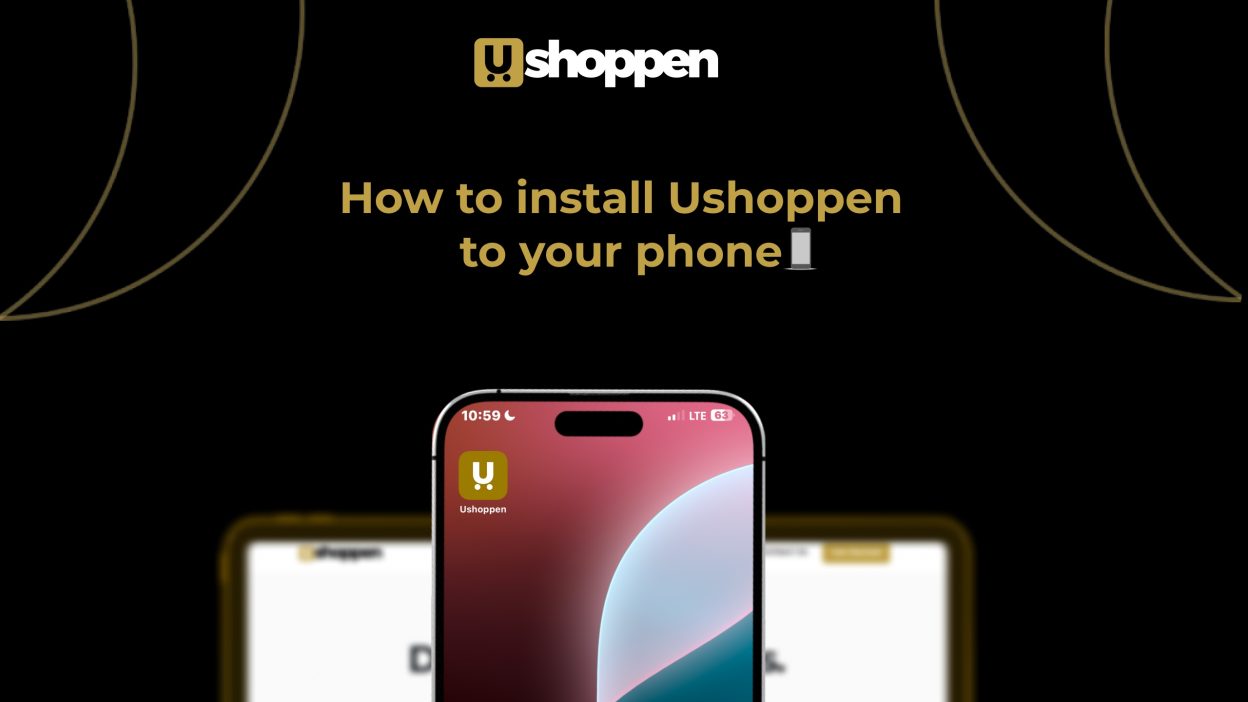
We understand that as a vendor, constantly navigating to your website on a browser just to update products or manage your store can be quite tiring. We realize your time is invaluable. The constant back-and-forth, logging into a browser each time to curate your collection or oversee your bustling store can feel less than ideal. We recognize that the rhythm of your business shouldn’t be interrupted by such annoying unnecessary navigation.
While a dedicated Ushoppen mobile app isn’t quite ready for your app store yet (rest assured, it’s on our roadmap!), we’ve crafted a seamless alternative. We’ve devised a simple method to transform your Ushoppen website into a mobile-friendly application right on your device. This means you can manage your store with the ease of an app, bypassing the need to open your browser every time.
This isn’t merely a shortcut, it’s a paradigm shift. With a single tap, your entire store management suite becomes instantly accessible, allowing you to focus purely on growing your brand. Allow me to guide you through it.
On IOS:
Step 1: Open Safari or your preferred browser and visit https://ushoppen.com. After the page loads, find the share icon (a square with an arrow pointing upwards) at the bottom middle of your screen and tap it.
Step 2: Scroll through the options and select ‘Add to Home Screen’.
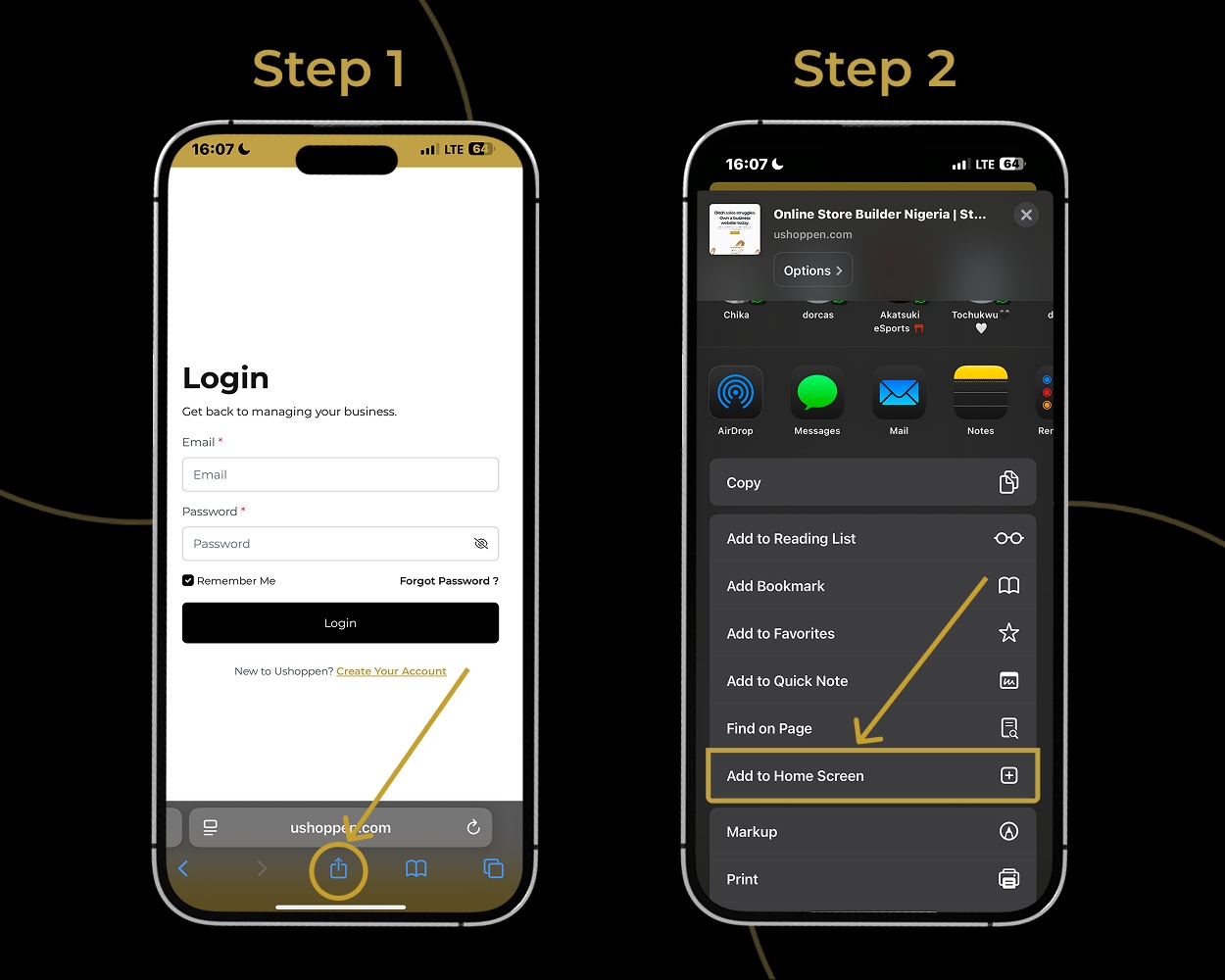
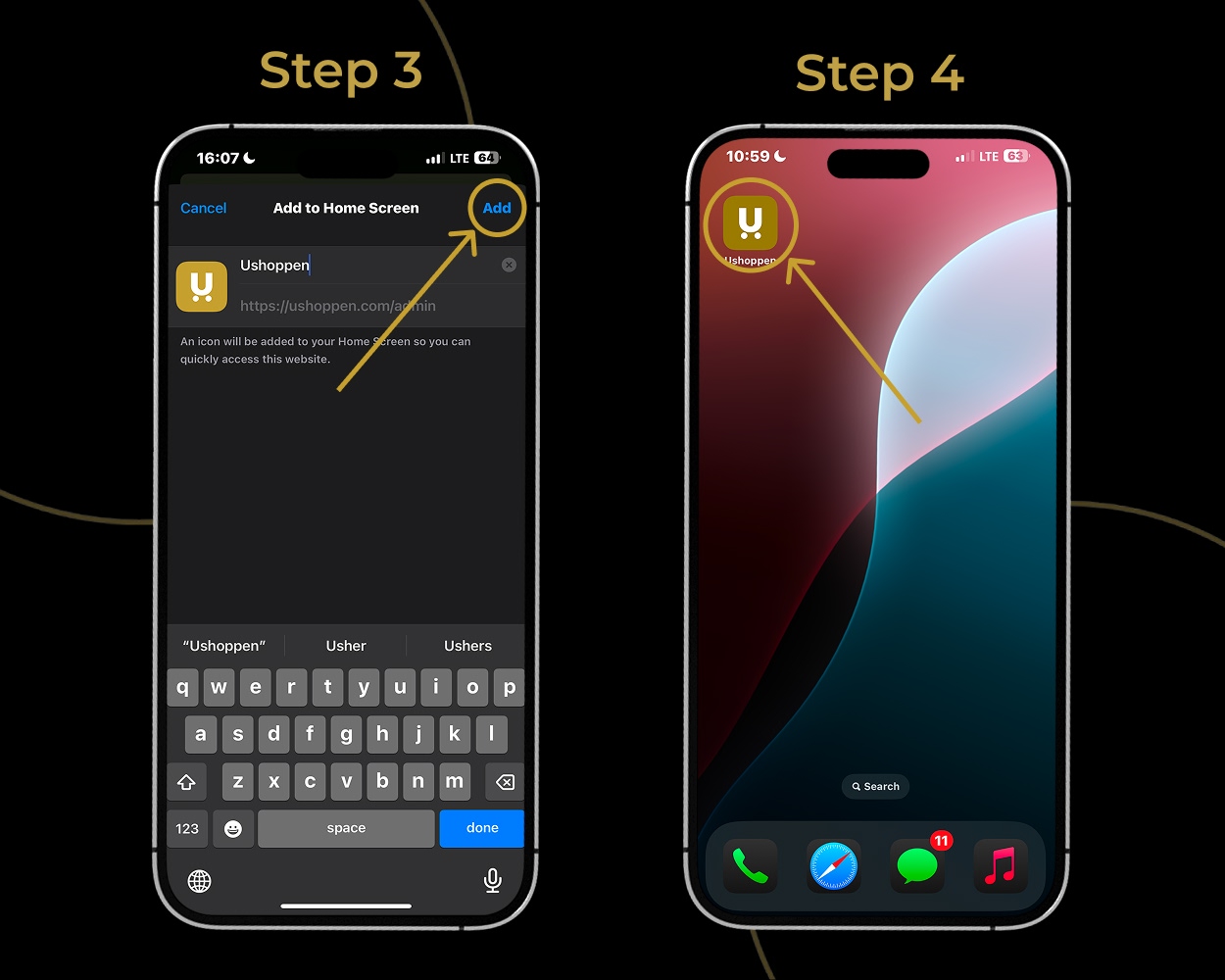
Step 3: In the top right corner of the next screen, tap ‘Add’.
Step 4: The Ushoppen app icon will now appear in your apps list, ready for use!
On Andriod
Step 1: Open Chrome or your preferred browser and visit https://ushoppen.com.
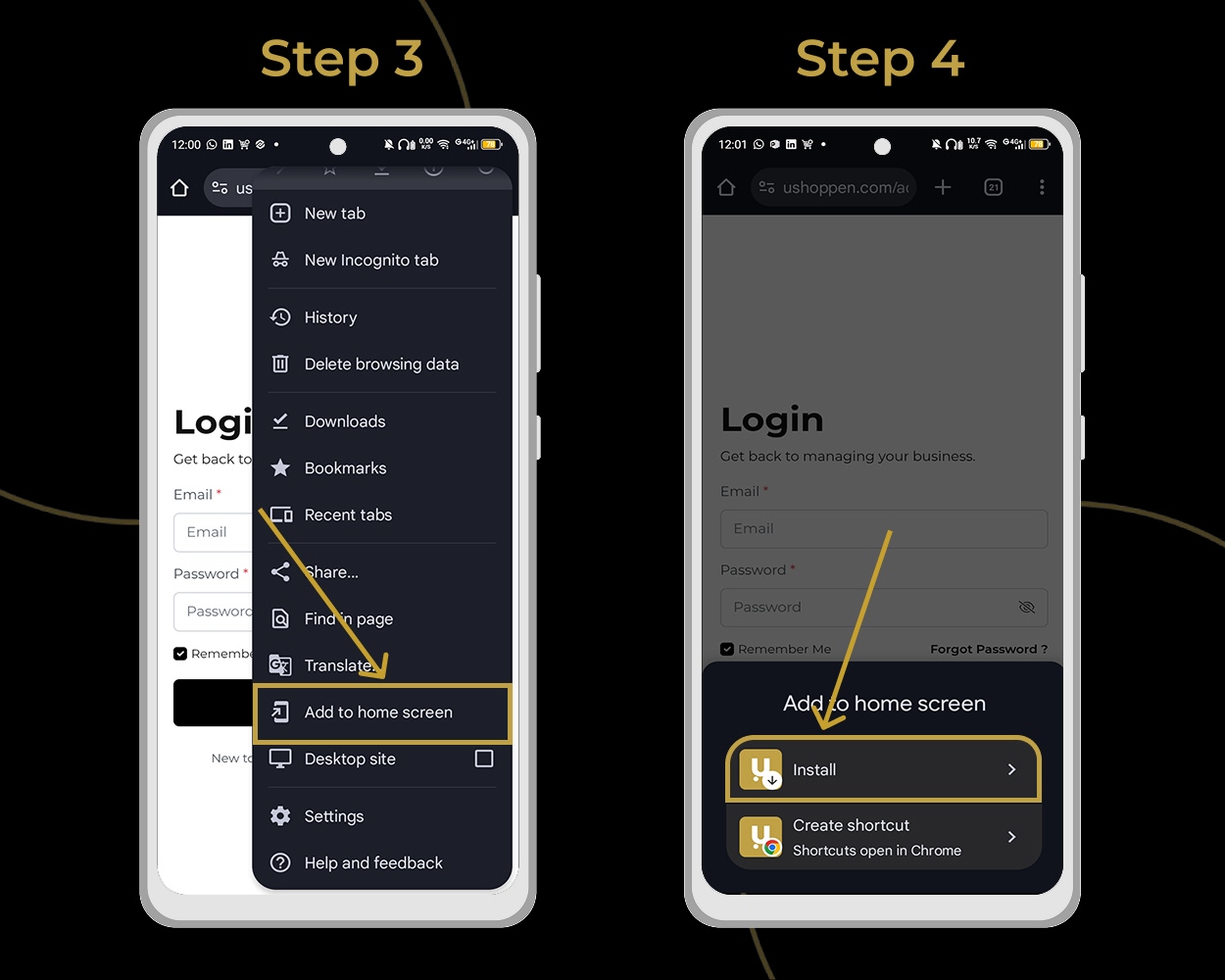
Step 2: Look for the three stacked dots (menu icon) in the top right corner of your screen and tap it.
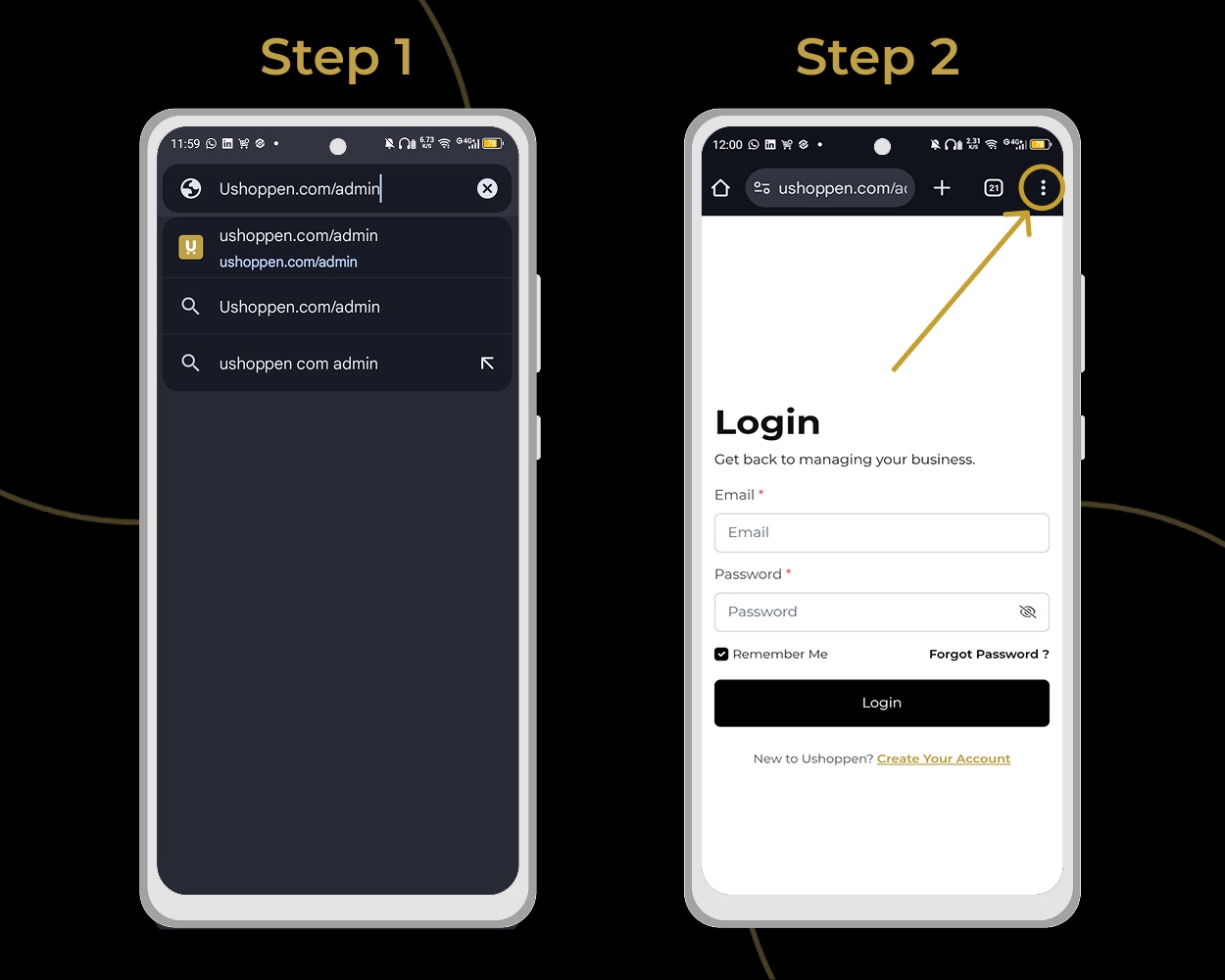
Step 3: Select ‘Add to home screen’ from the options list.
Step 4: When prompted, tap ‘Install’.
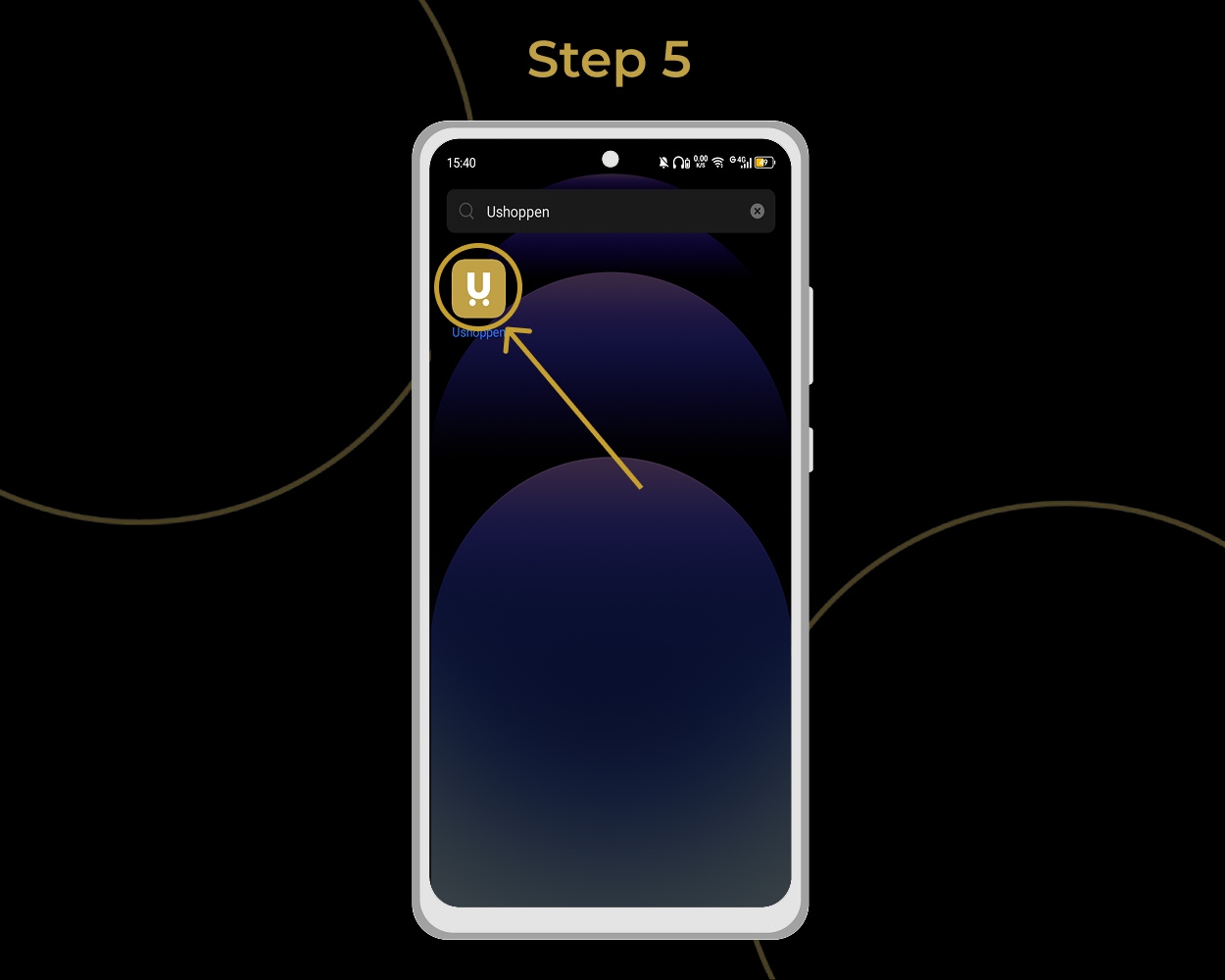
Step 5: The Ushoppen app icon will now appear in your apps list, ready for use!
We hope this empowers you to manage your Ushoppen store with greater ease. Should you encounter any isuues or have questions, please, feel free to reach out to us at support@ushoppen. Alternatively, simply visit our website and click “Contact Us” located conveniently next to “Get Started” in the top right corner.
We wish you great success on Ushoppen! Your dedication is highly valued and we are always here to help you achieve lasting growth.
For a deeper dive into eCommerce and online store success, explore our articles here!